Let’s be honest—choosing a web scraping tool can make your head spin, especially when you’re staring at two big names like Outscraper and Apify. Both claim to extract data efficiently, but they’re built for totally different types of users and projects.
Outscraper leans into simplicity with no-code interfaces and a pay-as-you-go model. Apify, on the other hand, goes after developers with customizable workflows and automation that can get pretty intense. You’ll want to pick based on whether you’re after a straightforward solution for platforms like Google Maps or if you need a flexible tool for those gnarly, large-scale scraping projects.
Key Takeaways
- Outscraper offers simple, no-code web scraping and clear pricing—great for small and medium businesses.
- Apify provides highly customizable workflows for developers and enterprises with complicated data projects.
- Your decision should hinge on your technical chops, project complexity, and how much you’re willing to spend.
Overview of Outscraper and Apify
Both platforms tackle web scraping, but their philosophies couldn’t be more different. One is all about keeping things breezy, the other is basically a playground for power users.
What Is Outscraper?

Outscraper is a web scraping platform that’s honestly a breath of fresh air if you hate technical headaches. You won’t need to write a single line of code to pull data from Google Maps, Google Search, and a handful of other platforms.
The platform focuses on pre-built tools for specific jobs. Need to scrape local business listings? There’s a tool for that. Want customer reviews? Covered.
Key strengths include:
- No-code interface anyone can figure out
- Cloud-based—you don’t have to babysit servers
- Pay-as-you-go pricing
- Ridiculously fast setup and execution
Your data drops out in friendly formats like CSV, Excel, or JSON. You can just pop it into your spreadsheets or whatever tool you already use.
But Outscraper doesn’t try to be a jack-of-all-trades. It’s laser-focused on platforms like Google Maps—so if you want to scrape the whole web, it’s not the tool for that.
What Is Apify?
Apify sits at the other end of the spectrum as a developer-first web scraping platform. It’s built for folks who want to build custom workflows and wrangle serious automation.
Instead of ready-made tools, Apify uses “actors”—pre-built scripts that automate tasks. And if those don’t quite fit, you can roll your own.
Core features include:
- Huge library of pre-built actors
- Custom workflow creation
- Support for scraping basically any website
- Advanced automation and scheduling
Apify’s sweet spot is scraping weird or dynamic websites and building complicated data pipelines. If you’re dealing with JavaScript-heavy sites or need to chain together a bunch of steps, it’s hard to beat.
But here’s the rub: you need to know your way around code to really get the most out of it. The learning curve is real. Pricing starts at $49/month and can climb fast depending on usage.
Core Use Cases
Outscraper shines for:
- Local business lead gen from Google Maps
- Market research using Google Search data
- Smaller data collection projects
- People who want fast results, no tech fuss
Apify is best for:
- Enterprise-scale data extraction
- Custom scraping for oddball websites
- Multi-step, complex automations
- Projects that need deep customization
Your budget and technical skills matter a lot here. Outscraper’s pricing is predictable and easy to control.
Apify’s flexibility comes with higher costs and more resource demands. If you’re running big, complicated projects, though, it might be worth every penny.
Key Features Compared
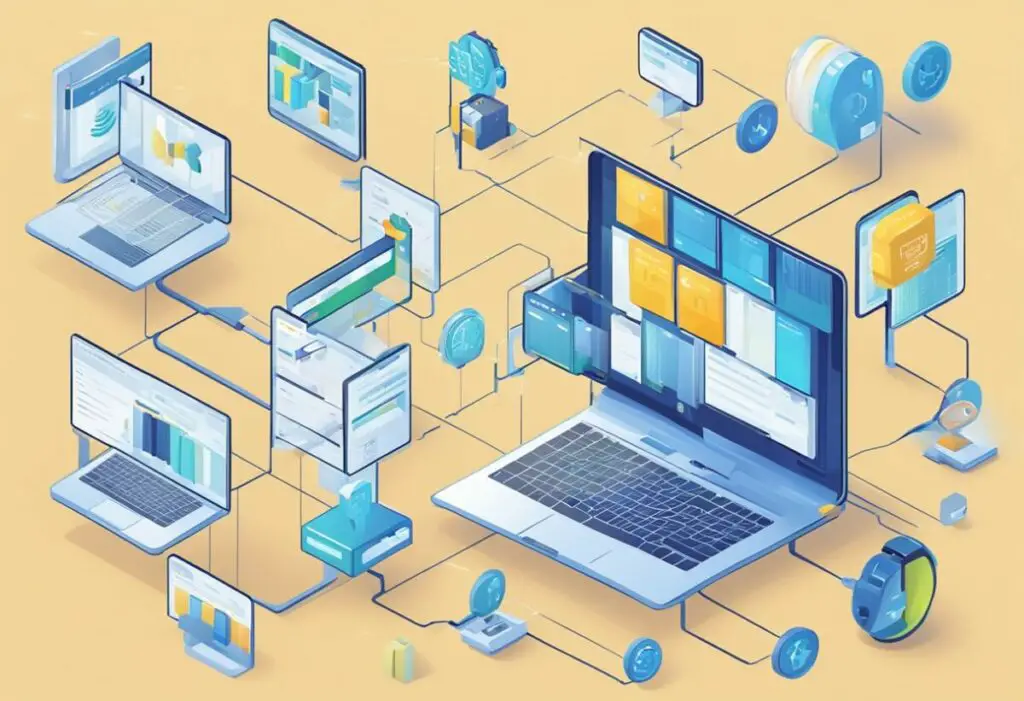
Outscraper and Apify both do web scraping, but their approaches are night and day. Outscraper is about speed and simplicity, while Apify is the Swiss Army knife for automation nerds.
Data Extraction Capabilities
Outscraper’s wheelhouse is platforms like Google Maps and Search. It’s killer for business listings, reviews, and local search data. You barely have to set anything up.
Apify, though, lets you scrape almost any site with their army of “actors.” These are basically plug-and-play scrapers for popular sites and use cases.
Both let you export to CSV and JSON. Apify adds more options like XML and custom formats if you’ve got special requirements.
Outscraper is all about focus—it dominates Google Maps scraping. Apify wins for versatility, letting you tackle just about any scraping scenario you can dream up.
Automation and Workflows
Outscraper keeps automation straightforward with scheduled runs and API triggers. You can set up regular data pulls without sweating the details.
Apify, meanwhile, lets you chain actors, handle complex processing, and build scraping sequences that would make your head spin.
You can even bake in conditional logic—scrape a product list, then automatically fetch details from each product page if it matches certain criteria. It’s wild, but you’ll need to know what you’re doing.
Platform Integrations
Both solutions are cloud-based, but their integrations go in different directions. Outscraper keeps it simple: API access for business tools and CRMs.
Apify’s integration game is much bigger. You can plug into data warehouses, BI tools, and roll your own integrations through their API.
Basically, Outscraper plays nice with marketing and sales tools. Apify hooks into a broader range of enterprise software and developer environments.
APIs and Extensibility
Outscraper’s API is dead simple. Clean endpoints, structured data, no headaches.
Apify? It’s a developer’s playground. You can build or tweak actors, or even whip up brand-new scraping solutions with their SDK.
If you need to write custom JavaScript and go deep, Apify’s your friend. But if you just want reliable scraping without coding, Outscraper’s API is refreshingly easy.
Usability and User Experience
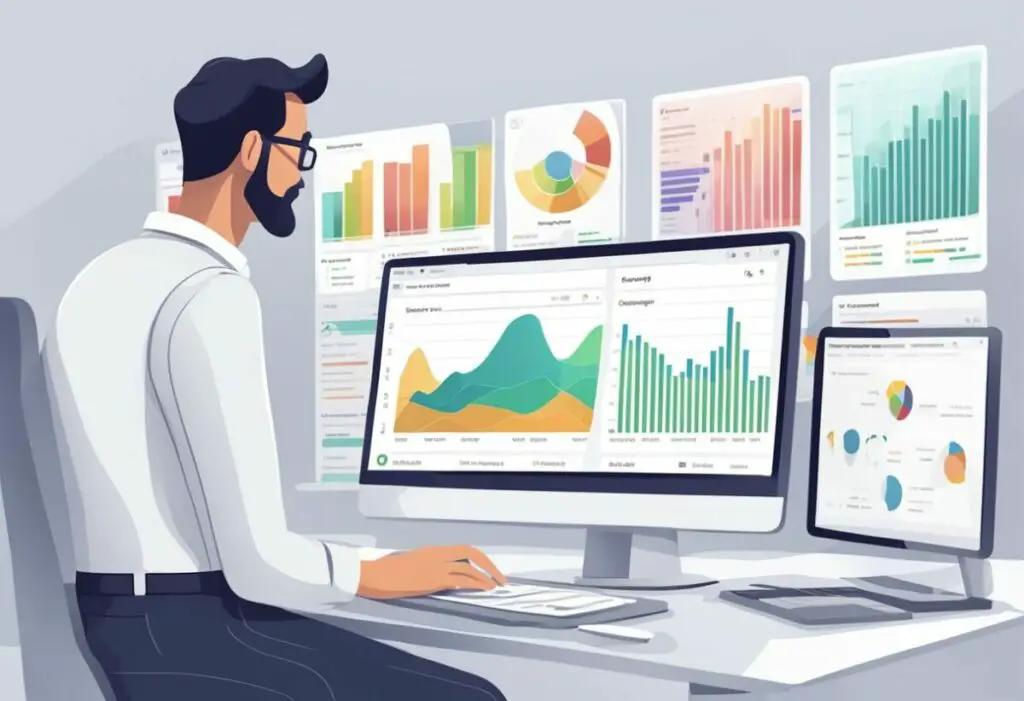
When you’re weighing Outscraper against Apify, the user experience is honestly like night and day. Outscraper courts non-technical folks, while Apify is unapologetically for developers who like to get their hands dirty.
Interface and Ease of Use
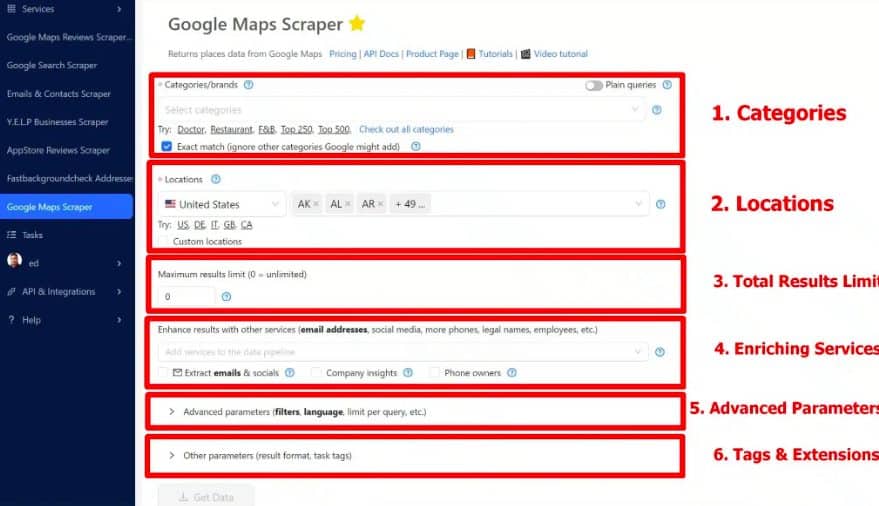
Outscraper’s interface feels like it was built for business owners who don’t want to deal with tech. You can start scraping Google Maps almost instantly after signing up—no code, no fuss.
It’s all pre-configured tools focused on results, not setup. I’ve seen marketing teams get rolling without ever calling IT.
Key Outscraper interface features:
- Point-and-click data extraction
- Google Maps scraper right out of the box
- Simple data export
- No technical setup
Apify is the polar opposite. It’s all about “actors”—pre-built scripts for automation. But you’ll need at least some technical chops to really get anywhere.
The Apify interface is built for developers. You get tons of flexibility, but the price is complexity. If you love tinkering, you’ll be at home.
Learning Curve for Beginners
If you’re just starting out with web scraping, Outscraper probably won’t trip you up. Most folks get their first dataset in under an hour.
You don’t have to mess with APIs, code, or complex automations. Outscraper does the heavy lifting while you just pick what you want.
With Apify, the learning curve is real. You’ll need to understand actors, configuration, and sometimes even code. But once you get past that initial wall, the automation options are pretty much endless.
The bottom line? Outscraper gets you going fast. Apify gives you control—if you’re willing to put in the work.
Customization and Flexibility
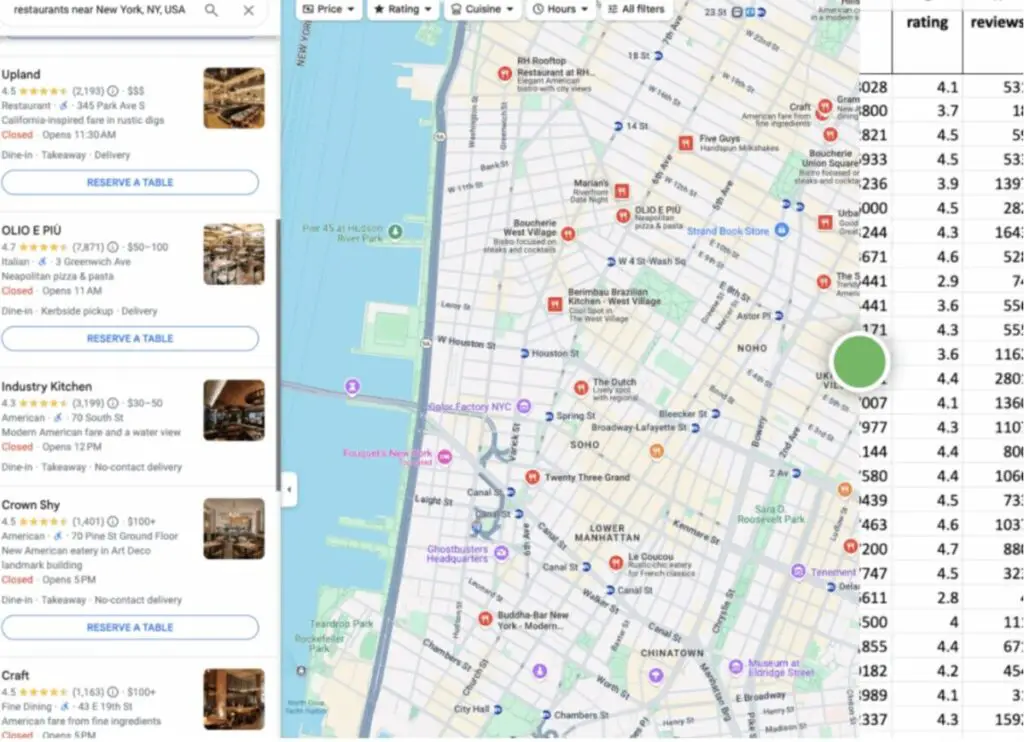
Apify hands you the keys to custom workflows and complex data processing. Outscraper sticks to ready-made tools for specific platforms. Which one’s better? Depends if you want to tinker or just get results now.
Prebuilt Tools and Actors
Outscraper really nails ready-made scraping tools that just work. No building, no drama—just pick your target and go.
They’ve got specialized tools for Google Maps, Google Search, and a few others. Each one’s pre-configured for that platform, so you don’t have to sweat the details.
Apify’s actor library is massive, covering everything from social media to e-commerce and site monitoring. But customizing those actors? Yeah, you’re gonna need some coding chops.
Outscraper’s real win is simplicity. Pick a tool, set your parameters, and collect your data. No need to untangle complex workflows or data pipelines.
Custom Workflow Creation
When it comes to building custom solutions, Apify really stands out. You can set up complex flows that chain multiple actors together for some pretty advanced data processing.
The platform lets you create multi-step workflows. For example, you might scrape product URLs, then pull detailed info, and finally run that data through your own algorithms.
Apify’s interface is built with developers in mind. You can write your own JavaScript, tweak existing actors, or build entirely new scraping solutions from scratch.
The platform supports advanced data processing features like transformation, filtering, and export formatting. You get full control over how your scraped data gets processed and delivered.
Outscraper, on the other hand, does things differently. It offers focused tools that handle specific tasks really well.
You can’t build complex flows with Outscraper, but honestly, you probably don’t need to. For most folks, Outscraper’s approach just works—simple, reliable results with zero code headaches.
Pricing, Plans, and Scalability
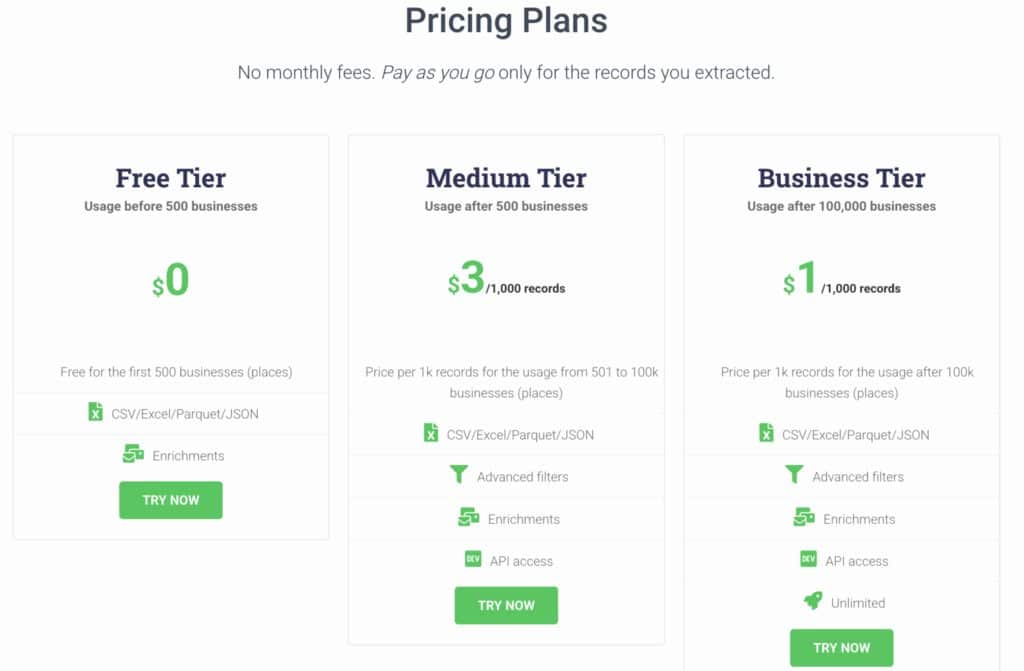
Pricing and scalability can really sway your decision between these platforms. Outscraper keeps things simple with pay-as-you-go pricing, while Apify starts at $49 a month and uses credit-based billing.
Pricing Structure
Outscraper uses pay-as-you-go pricing, which is perfect if you’re watching your budget or don’t scrape data every day. You pay only for what you use—no monthly surprises or sneaky fees.
It’s great for small businesses that just need occasional data. But if you’re running big automation projects every day, costs can add up fast.
Apify starts at $49 per month and gives you credits for unlimited access to thousands of scraping tools. Pricing scales with how much you use, though.
If you’re handling complex workflows or massive datasets, your bill can climb quickly. The monthly plan makes sense if your data needs are steady and predictable.
Outscraper = Costs vary with usage
Apify = Fixed base fee plus usage scaling
Scaling Projects
Outscraper handles moderate-scale projects well thanks to its cloud setup. You get quick results without worrying about servers or maintenance.
It’s especially tuned for platforms like Google Maps. But if you need really intricate automation, you might run into some limits.
Apify shines on large-scale projects with its flexible customization options. You can build custom workflows for even the trickiest data jobs.
The library of pre-built “actors” helps automate common scraping scenarios. This saves you a ton of development time on bigger projects.
But honestly, this scalability comes with a learning curve. You’ll need some technical chops to really unlock Apify’s full potential.
Support and Documentation
Outscraper keeps things simple with straightforward documentation. The support team focuses on helping business users get quick, clear answers.
You won’t find a massive technical manual like you would with developer-focused platforms. But that’s kind of the point—the tool is designed to just work out of the box.
Apify provides extensive API documentation for seamless integration with your systems. Their support caters to developers and data scientists working on complex projects.
The docs are deep, maybe even overwhelming if you’re new to automation. But if you’re building advanced workflows, you’ll appreciate having all that info at your fingertips.
Alternatives and Competitor Comparison
Several web scraping tools go head-to-head with Outscraper and Apify, and each one brings something different to the table. PhantomBuster is all about social media automation, while Import.io and Octoparse target business users with various levels of complexity.
PhantomBuster vs Apify vs Outscraper
PhantomBuster really carves out its own niche. It’s focused on social media automation and lead generation more than general scraping.
If you need LinkedIn scraping, Instagram automation, or Twitter data, PhantomBuster is your friend. But it struggles with broader web scraping tasks that Outscraper and Apify handle with ease.
Key Differences:
| Feature | PhantomBuster | Apify | Outscraper |
|---|---|---|---|
| Social Media Focus | High | Medium | Low |
| General Web Scraping | Limited | Excellent | Good |
| Pricing | Per phantom | Usage-based | Pay-per-use |
| Coding Required | No | Yes | No |
PhantomBuster’s pricing can get steep if you run a lot of “phantoms” at once. Apify is the most flexible but asks for some technical know-how. Outscraper lands somewhere in the middle, especially if you just need Google data extraction without fuss.
Import.io and Octoparse
Import.io goes after enterprise clients who want structured data extraction with zero coding. You’ll pay a premium, but you get white-glove service and dedicated support.
Octoparse is more approachable for small businesses and marketers. It delivers a visual interface that’s easier than Apify, but not as basic as Outscraper.
Import.io is pricey—think thousands per month if you’re serious. Octoparse is more reasonable, starting around $89 monthly.
User Experience Comparison:
- Import.io: Enterprise-level support, but the learning curve is real
- Octoparse: Visual workflow builder, great for e-commerce scraping
- Outscraper: Fast setup, focused on Google services
Both Import.io and Octoparse handle JavaScript-heavy sites better than your average scraper. Still, neither matches Apify’s flexibility for custom automation.
Niche Use Cases
Different scraping tools really shine in their own niches.
For e-commerce price monitoring, Octoparse and Import.io usually outperform Outscraper. They handle dynamic pricing and product catalogs with less hassle.
Social media research? PhantomBuster is the go-to. Its pre-built automations save tons of time, especially for LinkedIn prospecting or Instagram analysis.
Local business data is Outscraper’s sweet spot. While competitors like Scrapy and Otto exist, Outscraper’s Google Maps integration is tough to beat.
Real estate pros often go for specialized tools. Academic researchers seem to prefer Apify for its flexibility in custom data projects.
So, what’s best? Depends if you want a tool that does it all, or one that’s laser-focused. Apify covers lots of ground, but setup takes more time than with a tool built for just one job.
Frequently Asked Questions
People usually ask about Google Maps scraping, data quality, and how easy it is to get started when comparing these platforms.
What features differentiate Outscraper from Apify when scraping Google Maps data?
Outscraper’s focused approach to Google Maps scraping is honestly a breath of fresh air. The platform is specifically optimized for Google Maps and Search, so you get tools that do exactly what you need.
You can scrape business listings, reviews, and contact info without touching a line of code. The interface guides you step by step—it’s more like filling out a form than programming.
Apify offers a broader toolkit with lots of “actors” for different Google Maps tasks. But that flexibility comes with complexity, and it can feel overwhelming if you just want some business data quickly.
One Reddit user pointed out that Apify didn’t work well for listing all possible locations, while Outscraper could search “All Possible Categories” with thousands of options.
How do Outscraper and Apify ensure the accuracy and freshness of scraped data?
Both platforms pull data straight from Google’s servers, but they go about it differently. Outscraper focuses on speed and reliability—it’s cloud-based, so you never have to mess with infrastructure.
The platform automatically manages rate limits and anti-bot stuff, so you’re less likely to get blocked or end up with incomplete data. That’s huge, especially since Google is pretty strict about bots.
Apify gives you more control over the scraping process, which is a double-edged sword. You can customize everything, but you also have to make sure it all works.
Your data is as fresh as how often you run your jobs. Neither platform stores old data—they both fetch it live when you make a request.
In terms of ease of use and setup, how do Outscraper and Apify compare for new users?
If you’ve never scraped data before, Outscraper honestly feels like a breath of fresh air. The no-code interface lets you jump right in and start extracting data within minutes of signing up.
You just type in what you want, pick your export format, and hit go. No need to wade through documentation or mess with API endpoints—it’s shockingly straightforward.
Apify, on the other hand, leans more technical. They offer pre-built actors, but you still have to know how to configure them, which can trip up folks who aren’t comfortable with APIs or JSON.
The learning curve gets noticeably steeper if you haven’t spent much time around code. But, if you’re someone who likes to tinker and customize, Apify’s flexibility might actually win you over.
You can build some pretty wild custom workflows there, stuff Outscraper simply can’t match due to its more locked-down approach.
The pricing structure plays into this too. Outscraper keeps it simple with a pay-as-you-go model, while Apify’s resource-based pricing (starting at $49/month) can get confusing fast if you’re not careful.