
In digital marketing, the tiniest tweaks in website optimization can honestly make or break your online presence. This breakdown, pulled from a pretty lively technical chat between some sharp minds, digs into the nitty-gritty of boosting your site’s performance and making sure search engines actually notice you.
We kept circling back to three big things: image optimization, how URLs are structured, and sticking to SEO best practices. By picking apart these details, maybe we’ll finally crack the code on making a website stand out instead of getting lost in the crowd.
Why Media Management is So Important for SEO
Let’s be real—the backbone of any solid SEO strategy is knowing how to read the data you get from crawling your site. We spent a good chunk of time on this, and it’s honestly the best way to spot both strengths and weak spots in your SEO game.
One thing that stood out? URL structures. Trailing slashes in particular have a bigger impact than most people think.
Trailing slashes might seem trivial, but they actually shape how search engines read and index your pages. If you leave them off, you might accidentally make some pages non-indexable. That’s a fast track to vanishing from search results.
So, pay attention to those little details when you’re building URLs. Every link should be formatted just right for crawling—no shortcuts here.
SEO isn’t just about following a checklist. It’s about understanding how the web ticks and using that to your advantage. By keeping your URLs consistent and using trailing slashes, you dodge those annoying indexing issues and keep your site in the spotlight.
Optimizing Images for Web Performance
Images—can’t live without them, but they’ll drag your site down if you’re not careful. We really zeroed in on image management, because it’s not just about making things look good. It’s about keeping your site fast and snappy, too.
One tool that popped up a lot was the Trellis images plugin. It’s kind of the MVP for balancing crisp visuals with quick load times.
Trellis does a solid job resizing images into different formats for various screens. It keeps file sizes manageable, which is a lifesaver for page speed. And let’s be honest—nobody sticks around for a slow site.
But resizing alone doesn’t cut it. We also talked about converting images to WebP. This format packs better compression and quality than old-school JPEGs or PNGs. Faster pages, same sharp look—what’s not to like?
Still, there’s more. Trellis doesn’t handle lazy loading out of the box. Lazy loading—where images only load when you scroll to them—can seriously boost load times, especially if your pages are image-heavy.
But you can’t just slap lazy loading everywhere. Sometimes it messes with the user experience if you’re not careful. It’s a tool, not a magic fix.
So, the big takeaway? Mix resizing, smart format choices, and strategic lazy loading. Do that, and your site will feel lighter and way more user-friendly. Not to mention, Google loves it, too.
Incorporating Lazy Loading and Its Impact
Lazy loading came up a lot, and honestly, it’s a game-changer for site speed. By holding off on loading non-essential stuff until you need it, you can make a site feel way faster.
We focused on using lazy loading for images, especially on pages packed with photos—think travel blogs or product galleries. It just makes sense.
Only loading images when they pop into view means your initial page load is lightning-fast. Users get to what they want quicker, and search engines notice the speed boost.
But here’s the thing: you can’t just turn lazy loading on everywhere and call it a day. We talked about customizing it for specific content types, like certain post types, so you don’t end up with weird conflicts or broken layouts.
Honestly, there’s a bit of finesse involved. You’ve got to consider your site’s theme, the kind of stuff you publish, and how visitors actually move around. It’s not just a checkbox to tick.
When you implement lazy loading the right way, it shows you know your stuff. It’s a smart move that takes your site’s performance and SEO up a notch.
Alt Text and Image Accessibility
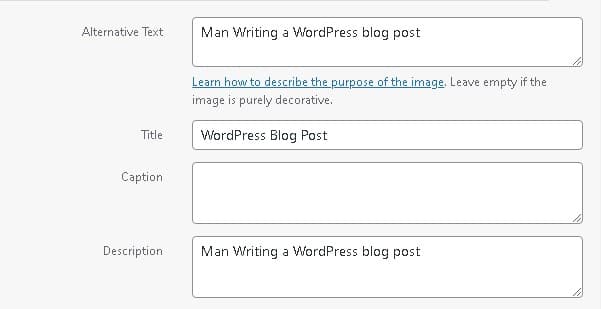
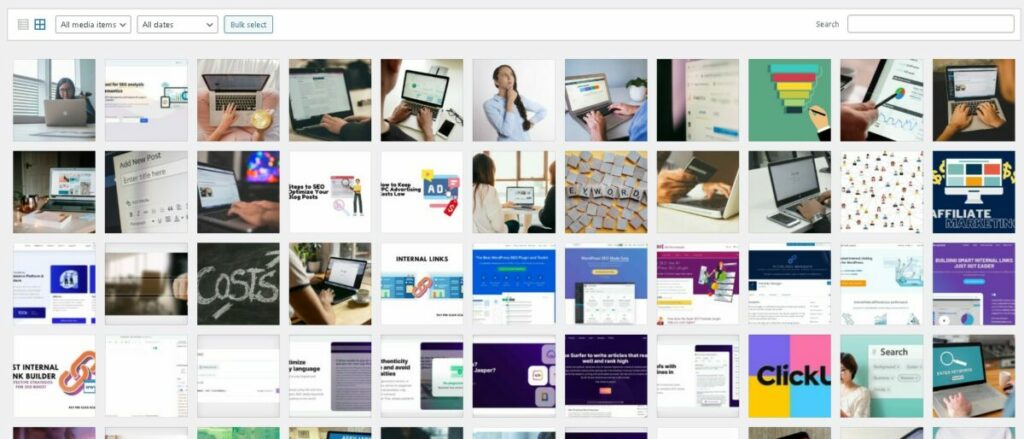
Alt text for images isn’t just a box to fill—it’s a big deal for both accessibility and SEO. It helps people who use screen readers and gives search engines a clue about what your images actually show.
We agreed: every image you upload should have alt text. It’s just the right thing to do for users, and it can give your rankings a little nudge, too.
We tossed around the idea of automating alt text. Imagine a script that pulls alt text from your media library and drops it onto every image across your site. For big sites, this could save a ton of time and effort.
And if you’ve got images missing alt text? No problem. Just use the image title as a fallback. That way, nothing slips through the cracks, and you keep your site accessible and SEO-friendly.
Key 2026 Takeaways
## Expert Answer: How to Optimize Images for SEO in 2026 For **payperclickecademy.com**, image SEO should improve both organic visibility and paid-landing-page performance. Use descriptive, human-readable filenames; write concise, context-specific alt text; compress images without visible quality loss; and serve modern formats such as **WebP or AVIF** with responsive sizing. Ensure images are crawlable, placed near relevant text, and included in image sitemaps when appropriate. Prioritize performance with lazy loading for below-the-fold images, explicit `width` and `height` attributes to prevent layout shifts, and properly sized hero images that load quickly. For products, courses, instructors, or other structured entities, use relevant schema markup and high-quality original visuals. Accessibility comes first: alt text should describe the image’s purpose—not stuff keywords. Google’s image SEO guidance consistently emphasizes relevant context, descriptive metadata, strong page experience, and technically accessible images. These practices can increase visibility in Google Images while supporting faster, more effective PPC landing pages (sources: [Bullseye Strategy](https://bullseyestrategy.com/blog/image-seo-2026-strategies/), [Webin Marketing](https://webinmarketing.com/image-seo-best-practices/), [SEOPix](https://www.seopix.co/blog/image-seo-best-practices)). ### Key Takeaways – **Use descriptive filenames:** `ppc-course-google-ads.jpg`, not `IMG_4821.jpg`. – **Write useful alt text:** Describe the image’s meaning or function naturally. – **Choose modern formats:** Prefer WebP or AVIF; retain JPEG/PNG when appropriate. – **Compress intelligently:** Balance visual quality with fast load times. – **Serve responsive images:** Use `srcset`, `sizes`, and correctly scaled dimensions. – **Prevent layout shifts:** Set image dimensions and reserve layout space. – **Lazy-load strategically:** Lazy-load below-the-fold images, but prioritize critical hero images. – **Add relevant context:** Place images near descriptive headings and supporting copy. – **Avoid keyword stuffing:** Metadata should help users, not manipulate rankings. – **Support accessibility:** Use empty alt text for decorative images and meaningful text for informative visuals. – **Optimize PPC landing pages:** Fast, lightweight visuals can improve user experience and conversion potential. – **Use structured data and image sitemaps:** Apply them where they accurately represent eligible content.
Leave a Reply